
On this page
Digital learning and family device use can raise different questions. A learner might use a computer for a school task, share an interest with friends and then encounter an unfamiliar message on another platform. A family conversation can make the expectations around those situations clearer while keeping space for the useful things technology can offer.
Start with the child’s actual age, activities and devices. The aim is a shared, understandable plan that the family revisits as circumstances change. Ask the school for its current digital-learning and device rules so that home arrangements connect with the information the relevant campus provides.
Begin with an ordinary activity
Ask the child to show or describe something they enjoy doing with a device. Listen to what they are making, learning or sharing, and ask what they find confusing. UNICEF’s digital-habits guidance encourages ongoing conversation and adults taking an interest in children’s technology use.
Use that activity to make one practical question concrete. If the child wants to add a new app, for example, who will look at it with them and what needs checking first? Recording an actual next action makes an agreement easier to use than a general instruction to be careful online.
Write a small household agreement
Make four headings: activity, approval, information and help. Under activity, describe what the device is being used for. Under approval, agree who a child asks before making a change such as adding an app or making a purchase. Under information, discuss what should stay private. Under help, name a trusted adult the child can approach.
UNICEF’s online-safety guidance supports clear family ground rules and thoughtful sharing. Discuss the audience for a message or image before posting it, including another person’s information. Use current platform privacy and safety settings together where appropriate, checking the controls on the actual service rather than relying on a remembered menu.
Make the help step easy to remember
Tell the child how they can approach a trusted adult when something is uncomfortable, confusing or upsetting. Listen to what happened before deciding what to do. The family agreement should make it possible to ask for help even when the child thinks they made a mistake or does not yet understand the situation.
For a concern involving bullying, use an appropriate adult conversation and the reporting tools of the relevant platform. UNICEF’s cyberbullying guidance for parents discusses a calm response and working with the school where schoolmates are involved. Ask the campus which contact and process applies to the particular concern.
Connect the plan with school learning
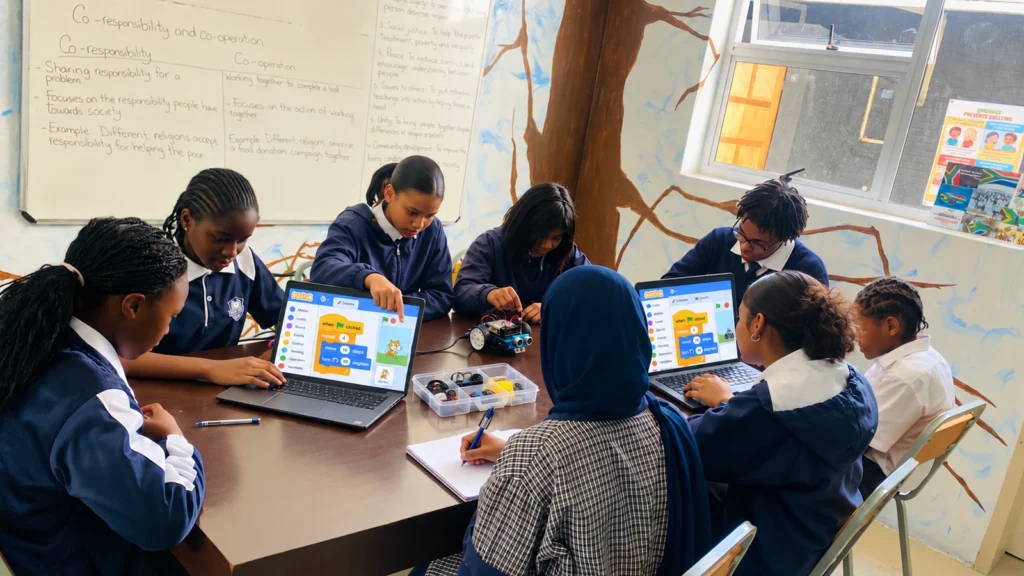
Ask which devices, accounts and resources the learner is expected to use for actual schoolwork. Clarify how parents receive instructions and how a learner asks about an access problem or a task they do not understand. A school lesson using technology and a child’s separate personal account may need different questions and arrangements.
Keep a brief list of practical questions for the relevant team: what is required for the current grade, who explains a task, how are changed instructions communicated and which device rules apply? Ask about current arrangements rather than assuming the school monitors private accounts or provides a particular technical service to every family.
If several people share one device, add their practical arrangement to the agreement. Decide how a learner will identify the correct school task and who should be asked about an unfamiliar account or message. Keep the agreed steps understandable to the adults involved, so that a change of caregiver does not leave the child uncertain about whom to approach.
Revisit the agreement together
Choose a simple moment to ask whether the plan still makes sense. A new device, a changed school task or a new activity may create a question the old agreement did not cover. Let the child explain what has changed, then update the relevant heading so that everybody understands the next action.
For programme context, read Allied’s curriculum information and the coding and robotics guide. Families considering a campus can book a visit with their digital-learning questions. The family communication guide offers a clear way to record what the school has explained and what still needs a follow-up.
Fees, programme availability and admissions arrangements can change. Check the current branch information and speak to the relevant team. Our editorial standards.
Published 27 November 2026 · Updated 27 November 2026